

An AI-powered grammar correction and social media post optimization tool for crafting clean, platform-tuned content on Twitter and LinkedIn.
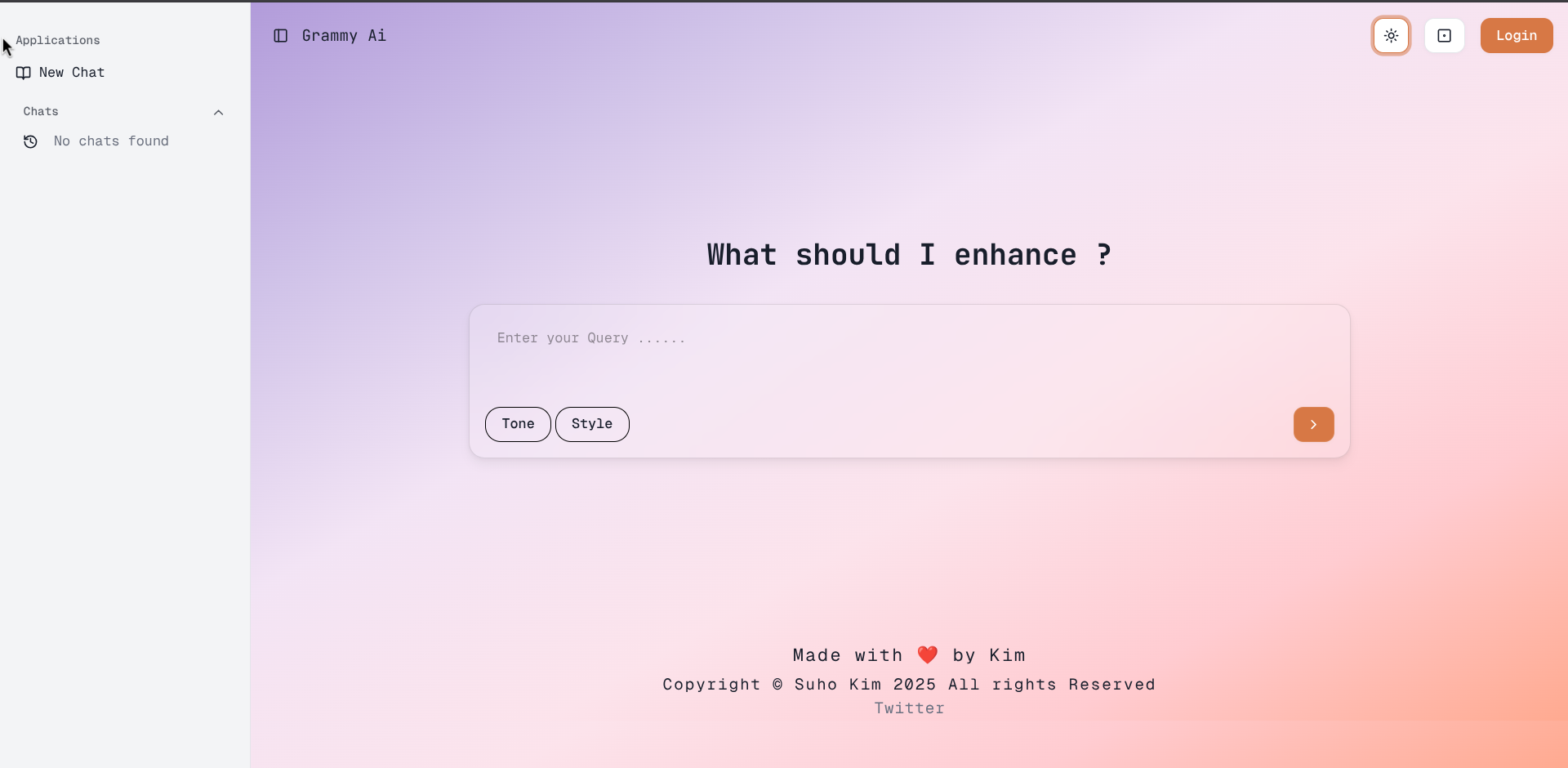
GrammyAI
An AI-powered writing assistant that catches grammar mistakes and optimizes posts for specific social platforms, built to simplify the frustrating experience of posting daily updates across Twitter and LinkedIn.
About The Project
I built GrammyAI because posting daily updates across platforms was frustratingly limited and needed simplifying. It combines real-time grammar correction with platform-aware tone and formatting suggestions, so a post can be tuned for Twitter's brevity or LinkedIn's professionalism without manual rewriting.
Key Features
- Real-time grammar correction and suggestions
- Social media post optimization for Twitter and LinkedIn
- AI-powered content enhancement
- User-friendly interface with instant feedback
Development Progress
Overall Progress100%
Project development is complete and ready for production use.
Technology Stack
Motivation
As someone who spends a lot of time on X, I found myself constantly struggling with grammar mistakes and tone inconsistencies. The idea sparked during a late-night coding session when I posted a tweet with an embarrassing typo that got noticed by my moots.
- Manually proofreading hundreds of tweets and LinkedIn posts was time-consuming
- Needed a tool that could catch grammatical errors in real-time
- Wanted platform-specific optimization for different social media contexts
- Aimed to streamline the content creation workflow for developers and creators
Development Journey
- Started during winter break, dedicating 3–4 hours daily to development.
- Began learning Next.js and used it to build the project.
- Initial prototype used basic regex patterns, then quickly realized the need for AI integration.
- Breakthrough came with platform-specific optimization features for Twitter and LinkedIn.
Problems Faced
-
API Rate Limiting : Struggled with OpenAI's rate limits during peak usage, solved with request queuing and caching.
-
Real-time Processing : Optimized debouncing and smart caching to reduce API calls without sacrificing UX.
-
Context Understanding : Required extensive prompt engineering to distinguish Twitter vs LinkedIn tone.
-
Cost Management : Balancing feature richness with API costs while maintaining fast response times.
Key Learnings
-
User-Centered Design : Initially focused too much on technical features, then learned to prioritize actual user workflow.
-
API Management : Mastered cost optimization and the balance between feature richness and performance.
-
Feedback Integration : Getting feedback from fellow developers and creators was crucial for interface redesign.
-
Problem Solving : Best tools solve problems you personally face daily — authenticity drives better solutions.