

Git Beyond the Basics
An intermediate-friendly guide to Git beyond the basics: remote, stash, multiple remotes, and rebase with real-world scenarios many beginners overlook.
Why This Blog Even Exists
People say git this, git that, so now it's officially time we get good at git, bois and gals.
I wanted to write this blog to share the experiences I've had and spread more awareness that Git is not just about push, pull, and commit. There are whole levels to this game.
Git is actually a really powerful tool, and it's way bigger than the basics most of us use every day.
You probably already know what Git is. Most of us use it daily:
git add
git commit
git push
git clone
And let's be honest…
...and that's it.
Which is fine at first. In fact, it's actually fine at first. But as we progress and move forward, we'll have to know more about this.
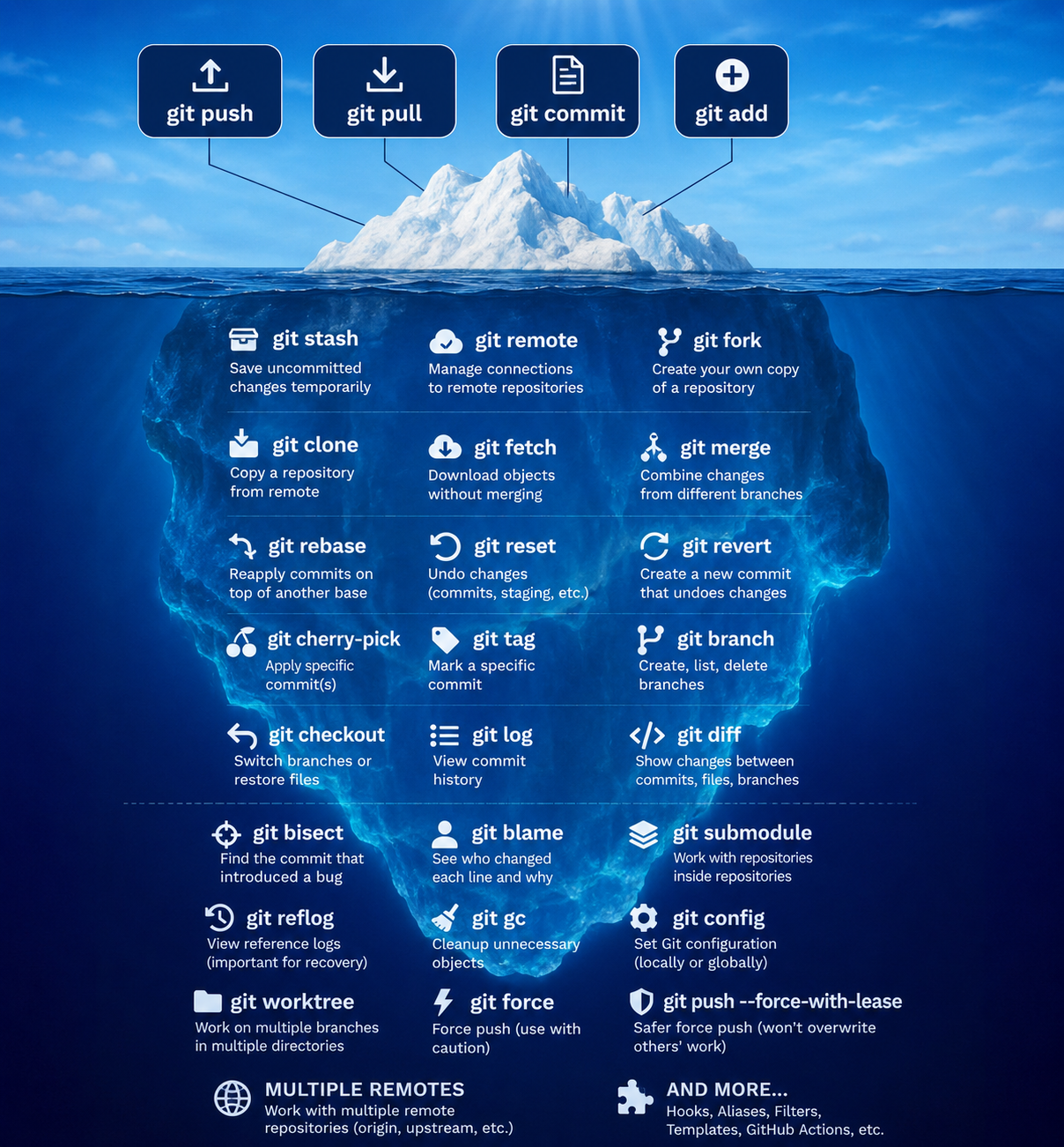
You only realize how big Git is when you start working with other developers.
So in this blog, we're diving into intermediate Git stuff, explained in simple, layman terms. No gatekeeping, no jargon overload.
Disclaimer: This is not for the "Claude, push my code" and "GPT, pull my code" crowd. This isn't for the weak-hearted guys.
Also, yes, this was sarcasm.
So, getting back to the topic: Git.
You can mostly understand this even if you're not super familiar with Git yet — though to really get it, you should at least use it on a daily or weekly basis.
What Even Is Git?
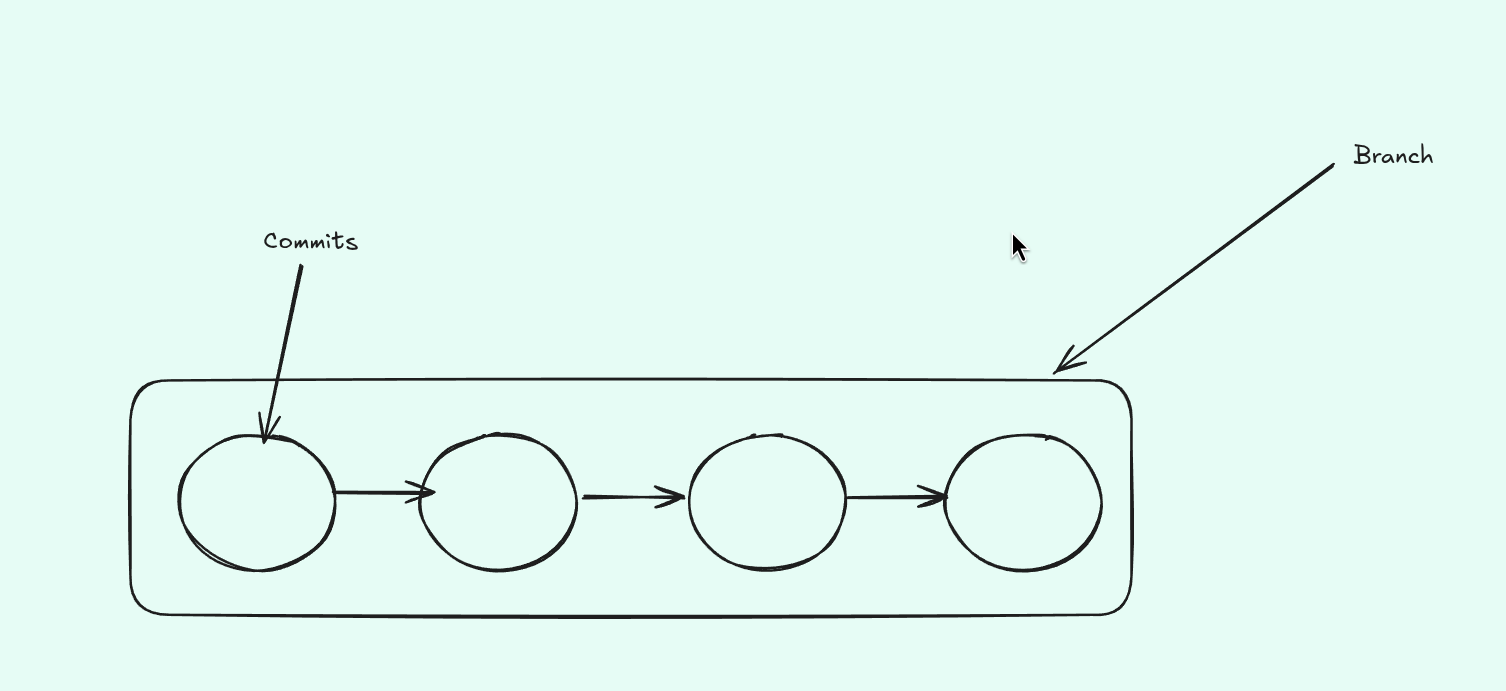
In simple terms, Git is a version control system.
In our childhood, you must have played a lot of games. When we progressed, and either we had to do some work or our moms called us for food (which was kinda frustrating), we used to use checkpoints or save points that we could come back to later.
Git is actually that, but for software engineers: checkpoints for the IT industry.
Meaning:
- It tracks changes in your code.
- Lets you go back in time.
- Helps multiple people work on the same project safely.
Think of it like:
Save points in a game.
Except for code.
What Is a Branch?
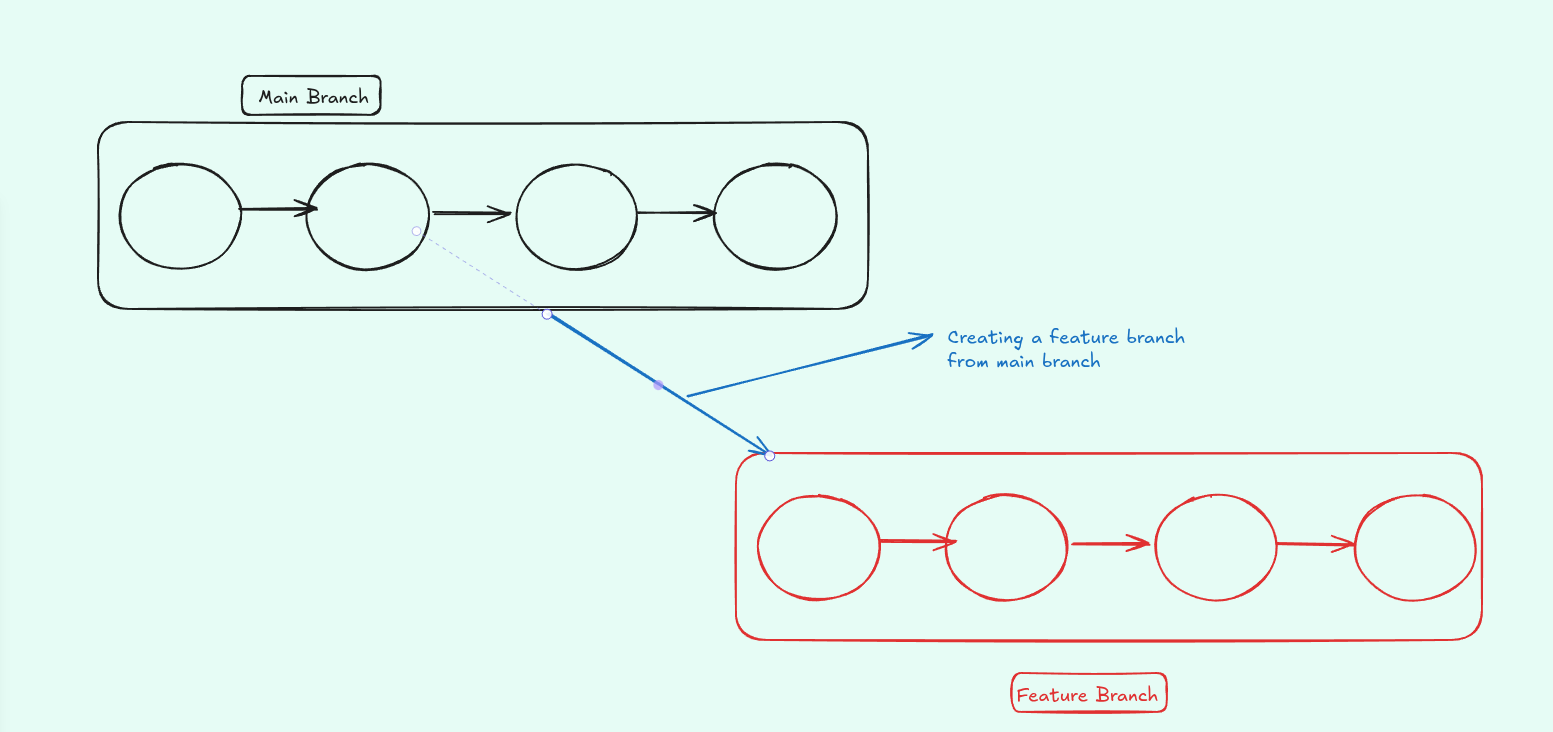
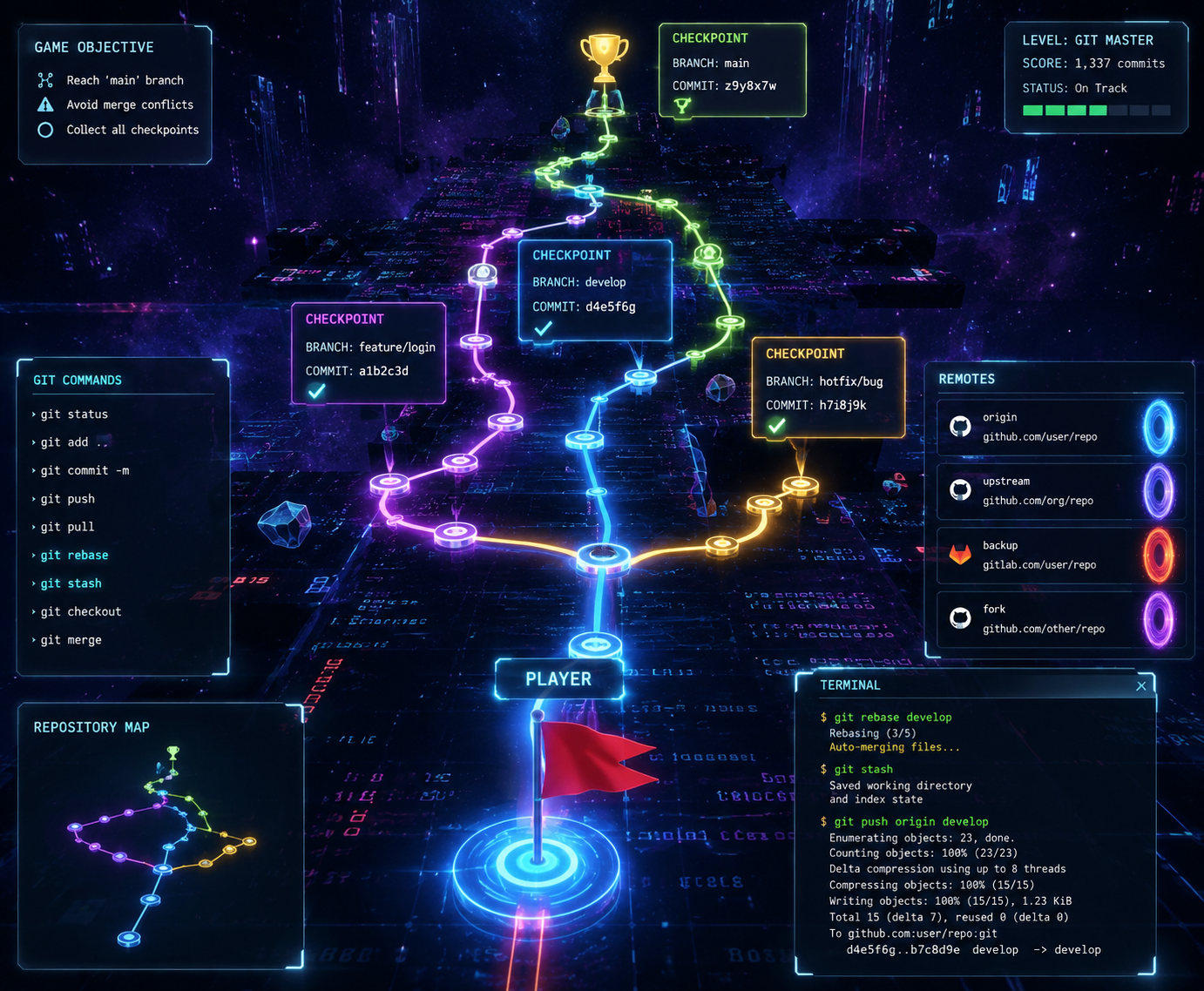
A branch is basically:
A separate line of development.
Instead of messing with the main code, you work on a branch.
If things explode?
No problem — main is untouched.
Branches let teams work in parallel without chaos.
Git Merge – Bringing Work Together
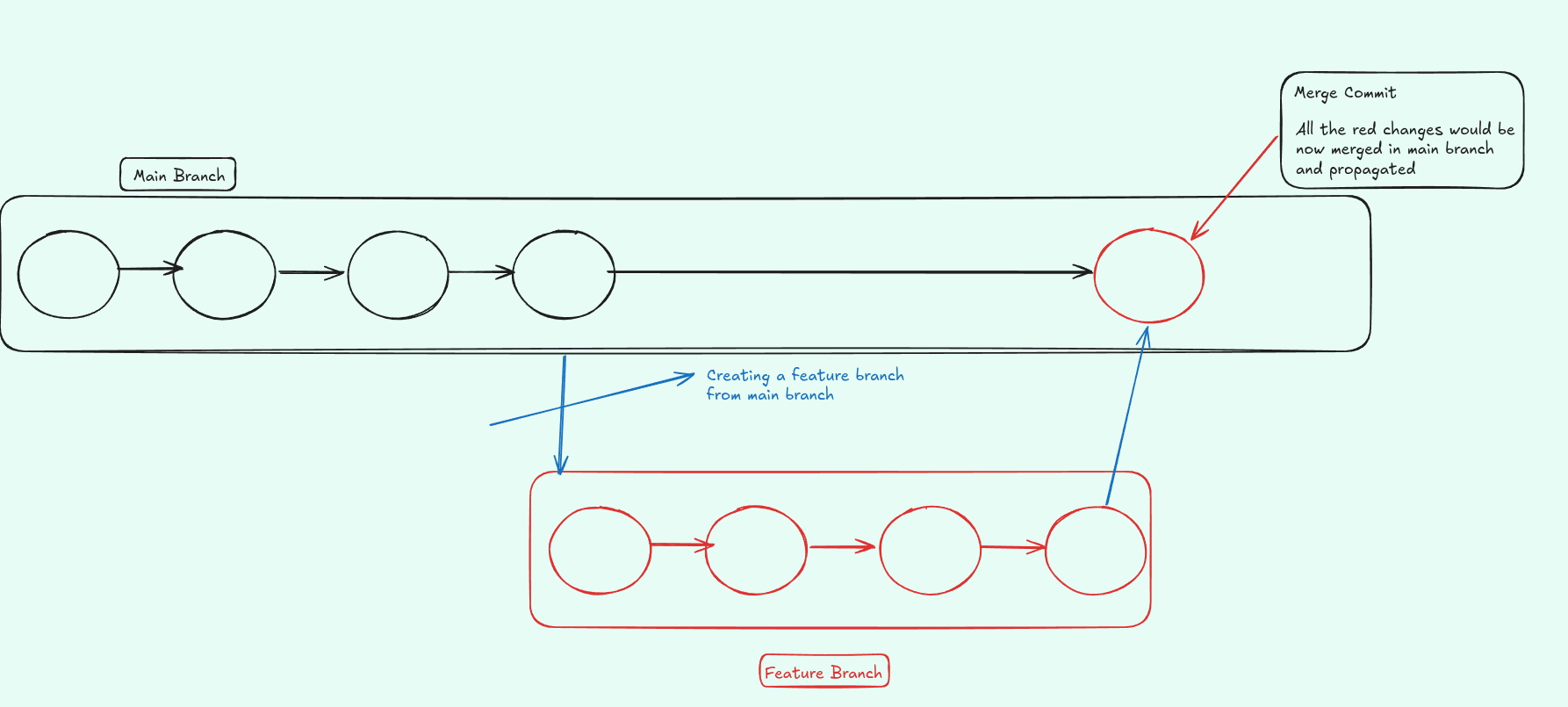
Once your feature is ready, you merge it into main.
Like how you write your code on another branch and once it's done and there are no latent risks, you merge it so that it propagates to your site, business, or whatever you're running on the internet.
Intermediate Git Concepts We'll Cover
Now let's talk about the great power of Git after it hits you.
The main purpose of this blog was to discuss the following topics, which from a beginner's POV are often neglected:
The Sacred Feeling/Thinking of Doing Open Source
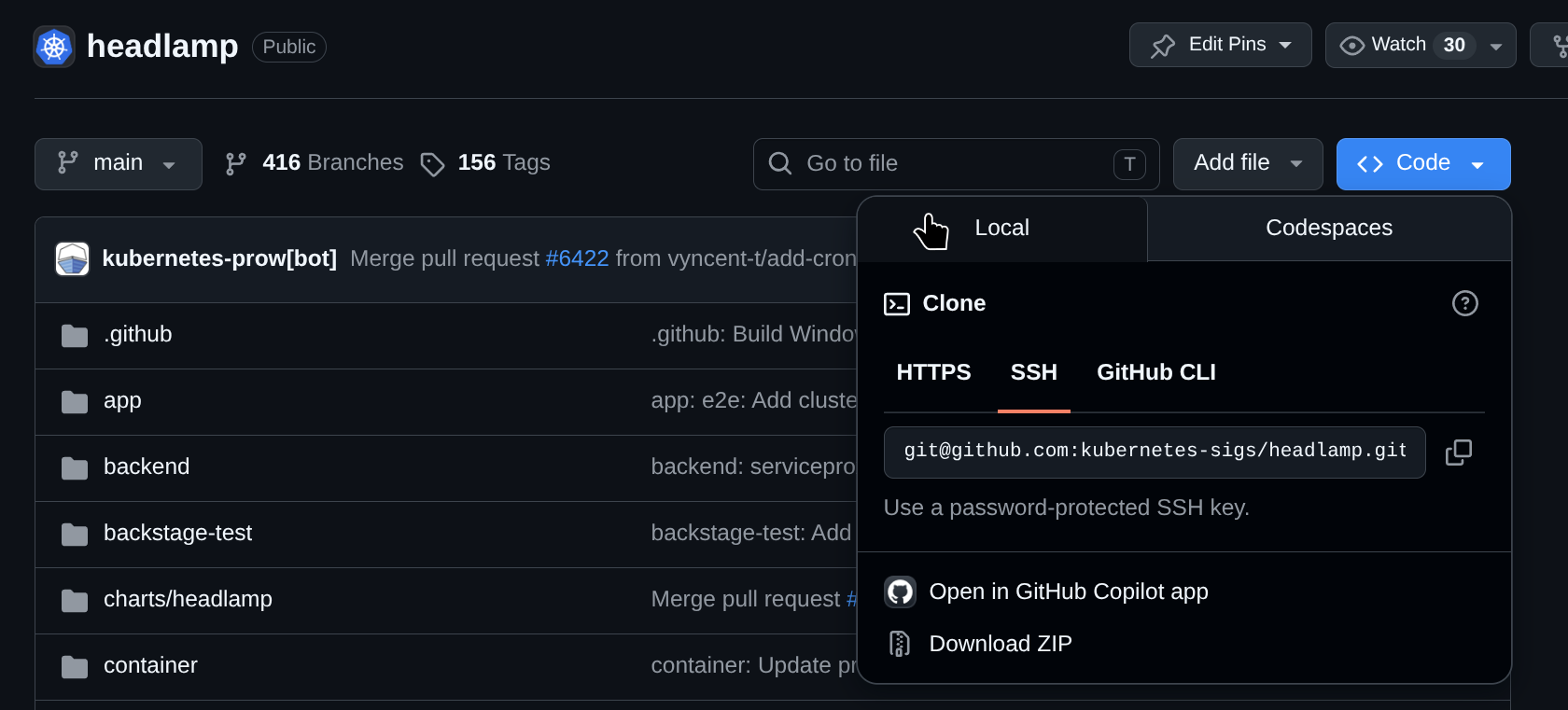
What happens is you want to contribute to open source. You might watch a tutorial on how to do it, or you're already somewhat familiar with OSS.
When you have to contribute, the first thing we usually do is bring the codebase locally and set it up accordingly.
We then fork the repo, clone it, contribute, push, and merge if the PR is good. That's the general flow.
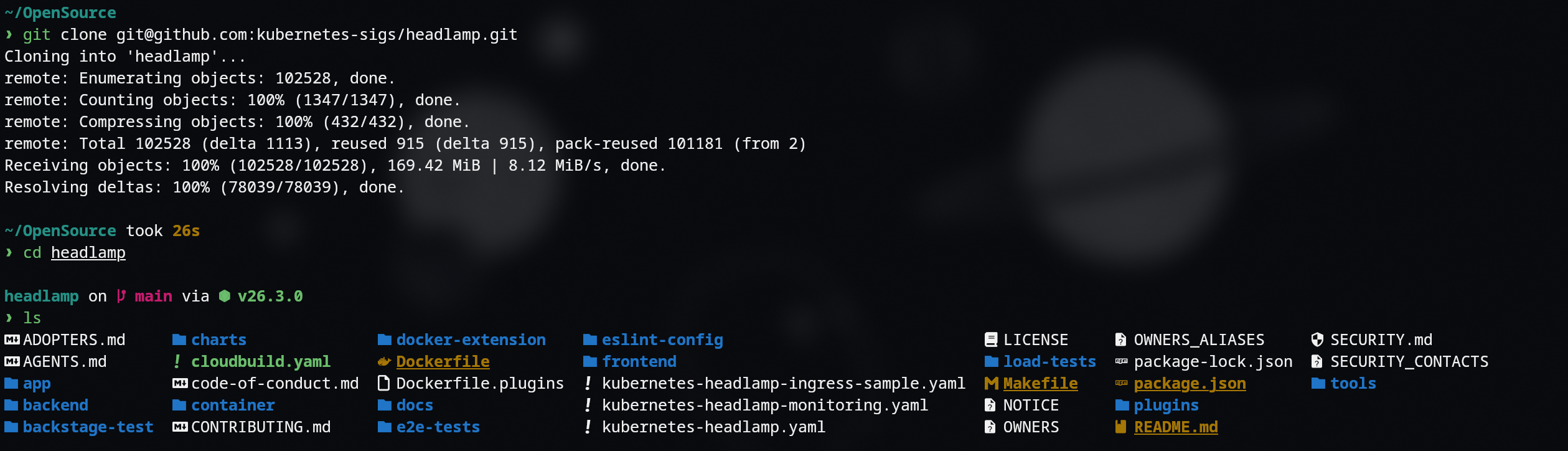
Here's where the main part comes in.
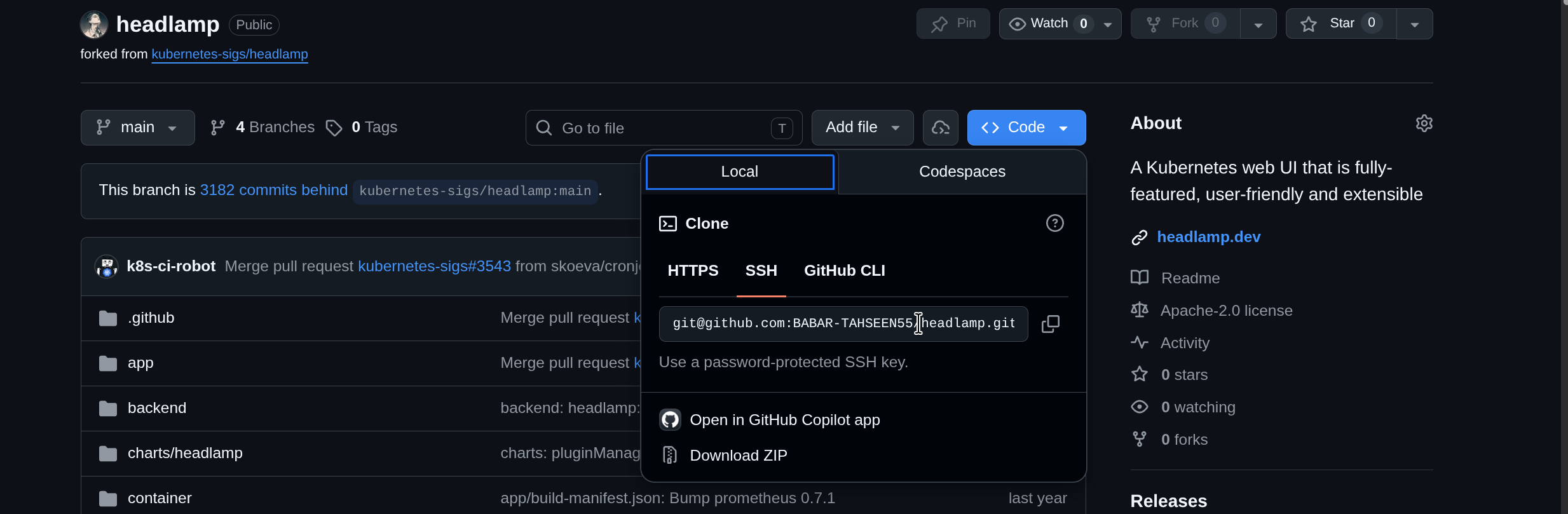
You find a repo you have to contribute to immediately. You clone it directly from their GitHub (which is wrong — you should fork it first), then start contributing by creating a branch. Halfway through, you realize you never actually forked the repo.

The initial instinct is to copy the changed files, delete the codebase, then fork, clone, and paste the files back.
This works, but it's the dumbest way to do this.
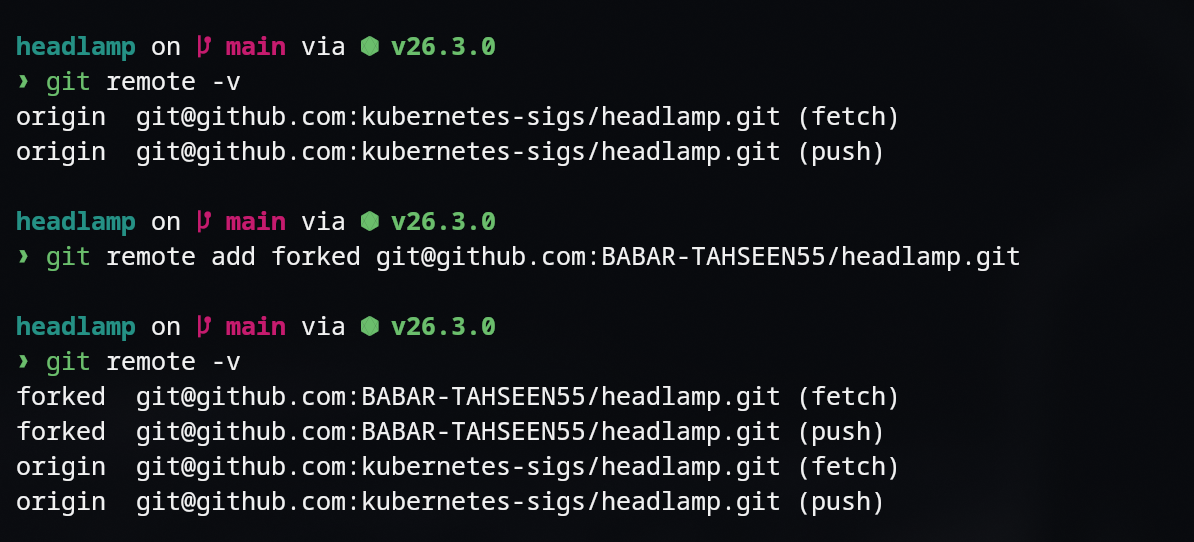
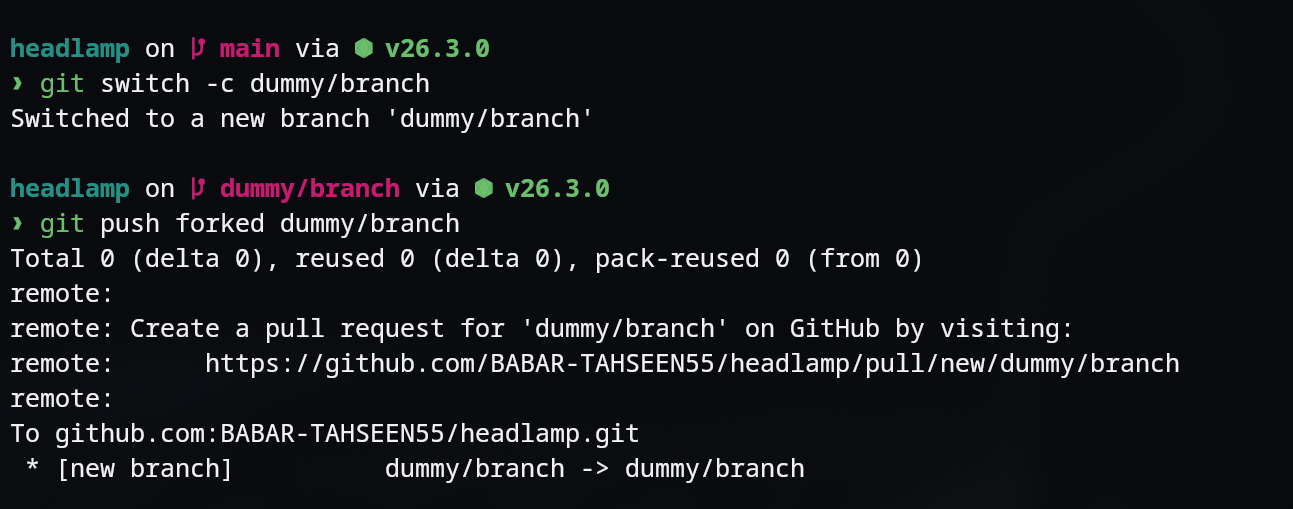
What you could have done initially was create a remote from your base to the forked repo and then push your branch there. It's that simple.
What Is a Remote?
A remote is basically a pointer to another Git repository, usually hosted on a server like GitHub, GitLab, or Bitbucket.
When you git clone, Git automatically sets up a remote called origin pointing back to that repo.
You can view your remotes with:
git remote -vAnd you can add more remotes if you need, for example when collaborating with multiple forks or mirrors.
Multiple Remotes
Taking the OSS example one step further:
Imagine you've accidentally cloned the main upstream repo instead of your fork. You've already coded and committed on a branch.
Instead of copying files and restructuring everything, you can:
- Fork the repo on GitHub.
- Add your fork as a new remote in your local repo.
- Push your branch to your fork.
- Then, optionally, keep a remote to the original repo so you can pull latest updates later.
This pattern with multiple remotes is super common when contributing to open source and when collaborating across teams.
Add your fork as a remote:
git remote add fork https://github.com/your-username/repo.gitPush your branch to your fork:
git push -u fork your-branch-nameWhat Is Stash?
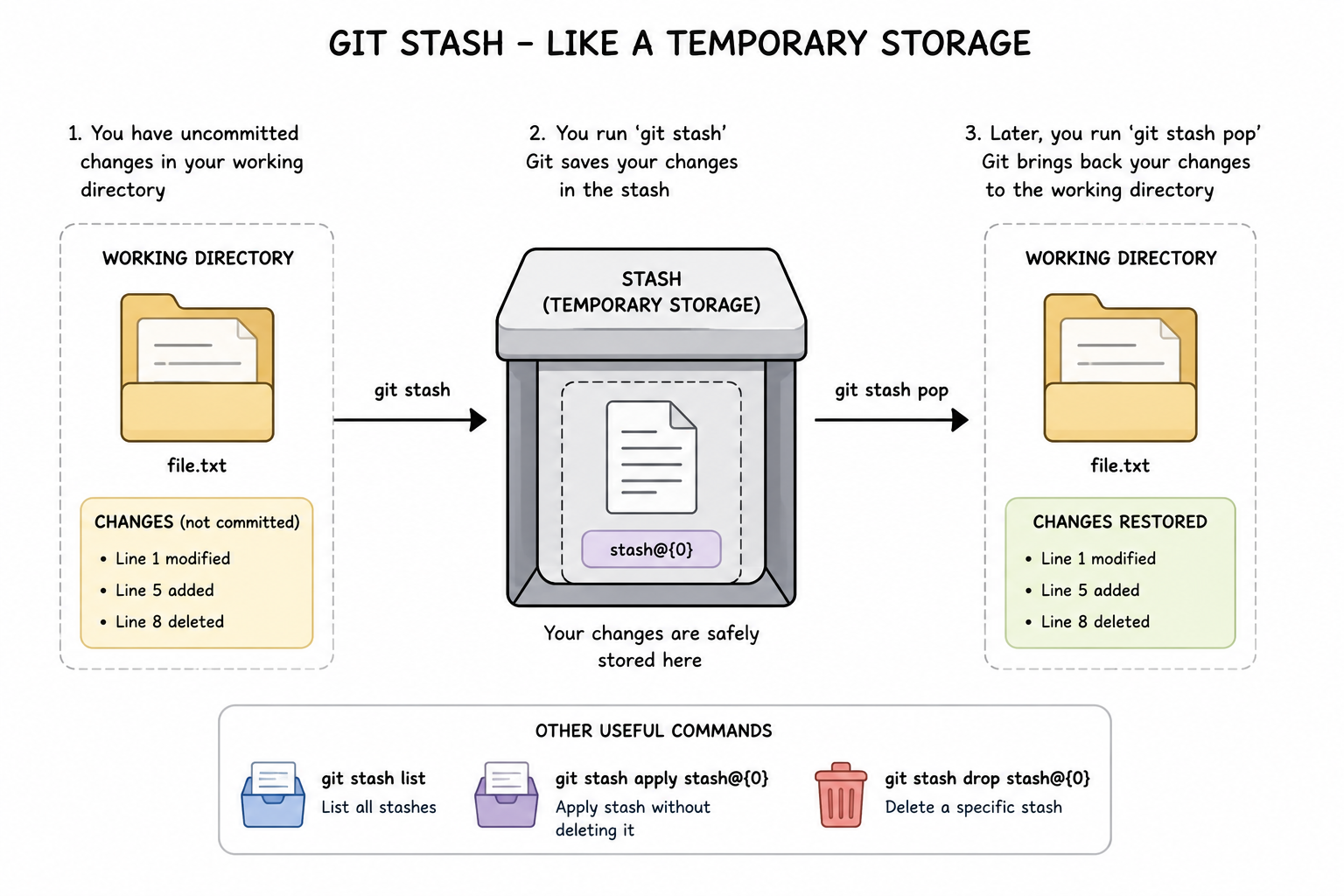
Git stash is like a temporary save button. That's it.
It's a lifesaver.
You're halfway through coding and suddenly need to switch branches.
But your work isn't ready to commit.
You can also stash without staging files:
Another scenario:
You're working on a branch v1 and suddenly have to shift to v2 for some urgent reason, but you don't want to stage or commit the changes — and without this, Git won't let you switch branches.
So you store them in a temporary storage (stash):
git stash -u -m "My unstaged changes"git stash -uYou then work on the important stuff on v2 or main. Once you're done, you come back and do:
git stash popAnd boom — your stuff is back as good as the old state.
Save your dirty work temporarily:
git stash
git stash pop   # Apply and remove the stashed changes
Git Rebase
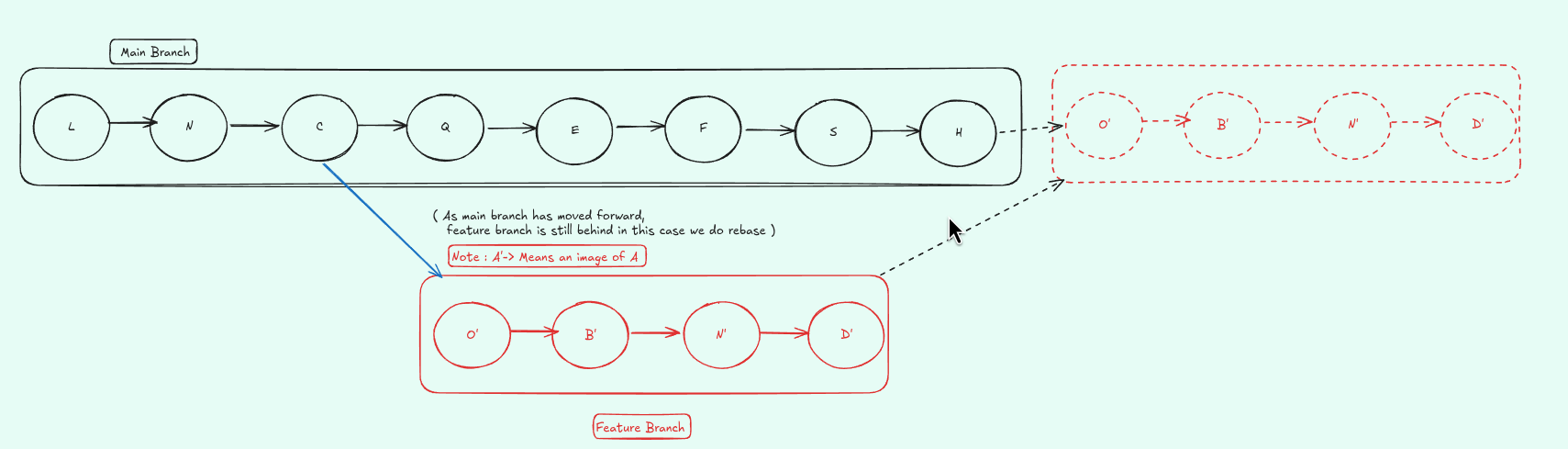
Now let's talk about Git rebase.
Rebasing is a way to move or combine a sequence of commits to a new base commit.
In simple terms:
- It lets you replay your branch's commits on top of another branch (often
main). - This keeps history cleaner and more linear, instead of a messy web of merge commits.
Common use case:
You're working on a feature branch that started from an older version of main. Meanwhile, main has moved ahead.
Instead of merging, you can rebase your branch on the latest main:
git checkout main
git pull
git checkout your-branch
git rebase main
If there are conflicts, Git will pause and let you resolve them piece-by-piece, then continue with:
git rebase --continueRebase is powerful but can be dangerous if used on shared branches, so it's usually best to rebase your own feature branches before they go public.
Key Takeaways
- Git is more than just
git add,git commit,git push, andgit clone. - Understanding remotes and multiple remotes makes open-source contribution much smoother.
git stashis a simple but powerful temporary save button for your uncommitted work.git rebasehelps keep your history clean and linear, especially when working on feature branches.
Note: Git has even more tools like
bisect,cherry-pick, and a bunch of other commands. They are useful, but in my experience they are needed less often and usually come down to workflow preference. If you want to go really deep, the official Git docs are the best place to continue.